

Phone Home QR
How PHQR works
Stick it. Someone scans. You get a text.
Private lost and found stickers. Finders message you, and never see your number.
Order by email
See how it works
For owners
Three steps, about a minute
1Stick it
Put a sticker on your laptop, phone case, water bottle or hard-shell luggage.
2Claim it
Scan it with your phone camera and name it, like “My laptop”. A photo is optional.
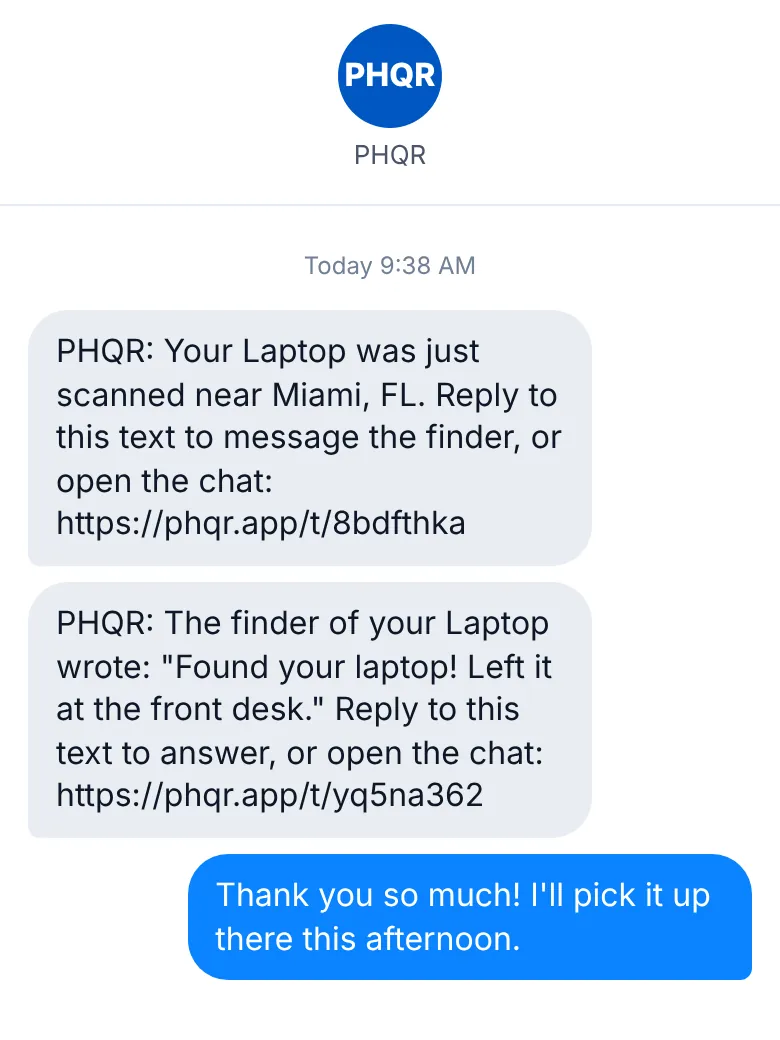
3Get a text
When someone scans it, PHQR texts you right away. Reply to chat with the finder.
Text alerts and replies included
For finders
Found something with a PHQR sticker?
- 1. Scan itWith the phone camera, or type the code printed on the sticker at phqr.org.
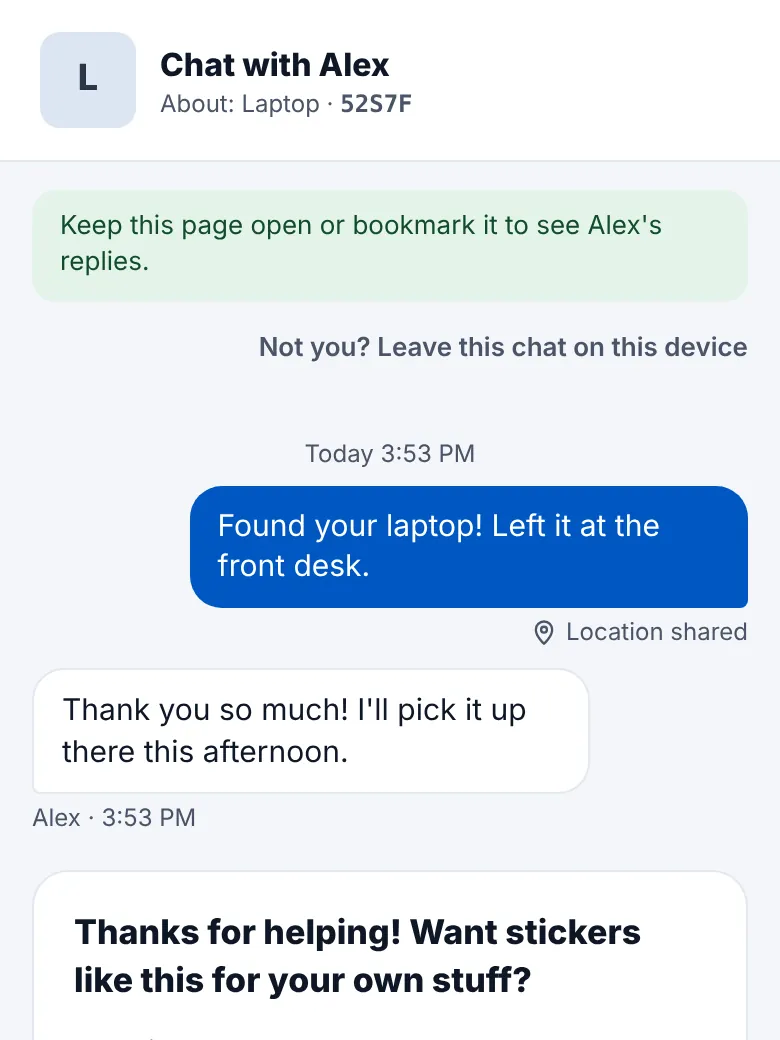
- 2. Write to the ownerA private chat in the browser. No app and no account.
- 3. Arrange the returnAgree where to leave it, like a front desk, or meet up.
Your privacy
Your number stays hidden
Finders never see your phone number, email or address.
Texts come from PHQR's number
You and the finder text through PHQR, so you never see each other's numbers.
You choose what finders see
Your first name, the item's name, and a photo and note only if you add them.
Help your stuff phone home.
$25 for a sheet of 20
Blue, White or BlackKnow someone who loses things?